
Appearance
Dashboard
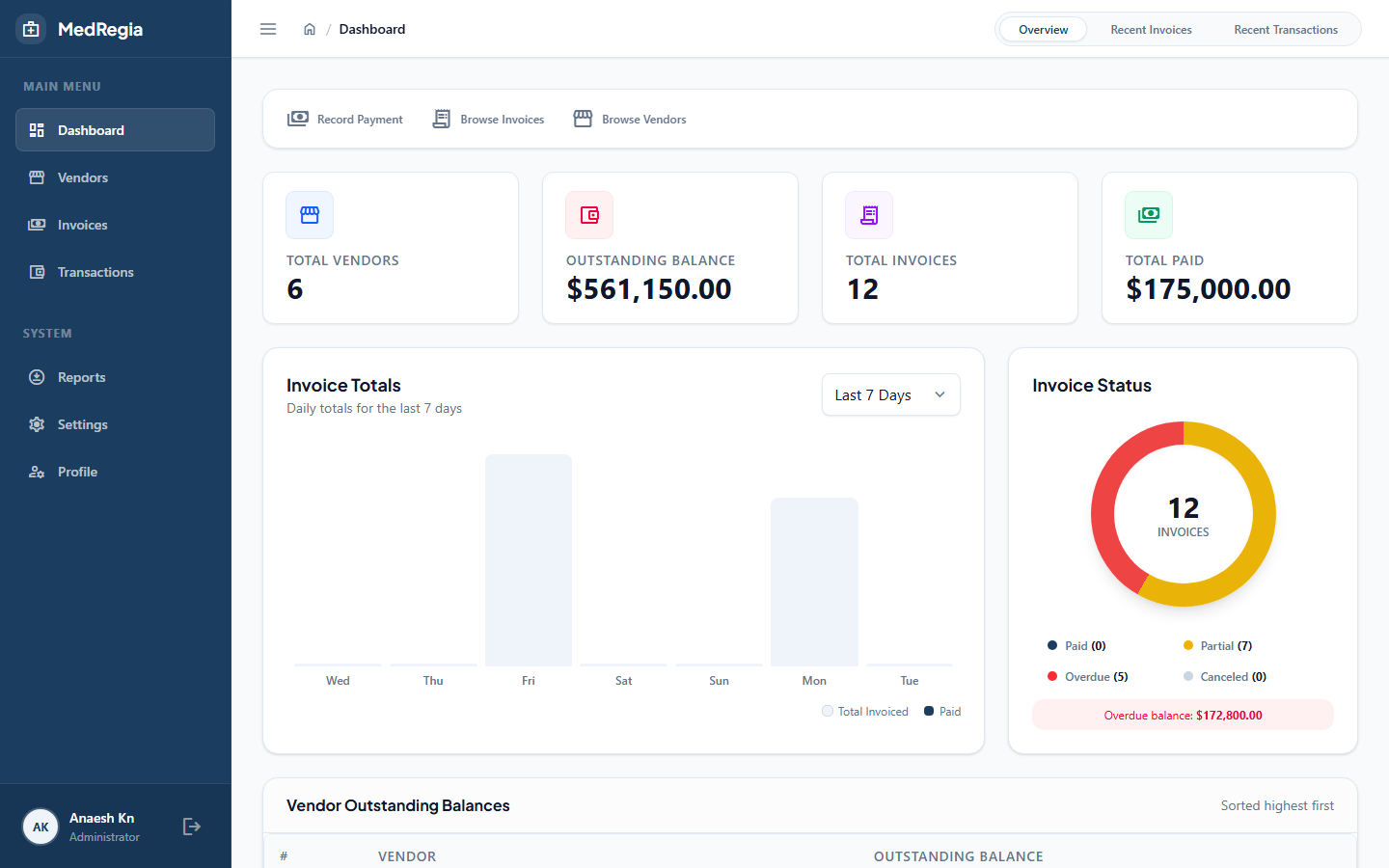
The Dashboard is the first page you see after logging in. It gives you a real-time snapshot of your pharmacy's vendor payment status.
Permission required:
Dashboard:Read
KPI Cards
The top row shows four key figures:
| Card | What it shows |
|---|---|
| Total Vendors | Number of all vendors (active + inactive) registered in the system |
| Total Invoices | Number of all invoices (active + canceled) across all vendors |
| Total Due | Sum of all outstanding (unpaid) amounts across active invoices |
| Total Paid | Sum of all payment transactions ever recorded |
TIP
Total Due is the most actionable number — it tells you exactly how much money you still owe to vendors.
Recent Transactions
A count of transactions recorded in the last 30 days, giving you a sense of recent payment activity.
Top Vendors by Outstanding Balance
A ranked list of vendors with the highest unpaid amounts. Use this to prioritise which vendors to pay first.
Click any vendor in the list to go directly to their Vendor Detail page.
Monthly Transaction Chart
A bar or line chart showing total payment amounts for each of the last 12 months. This helps you identify payment trends and seasonal patterns.
Recent Invoices Tab
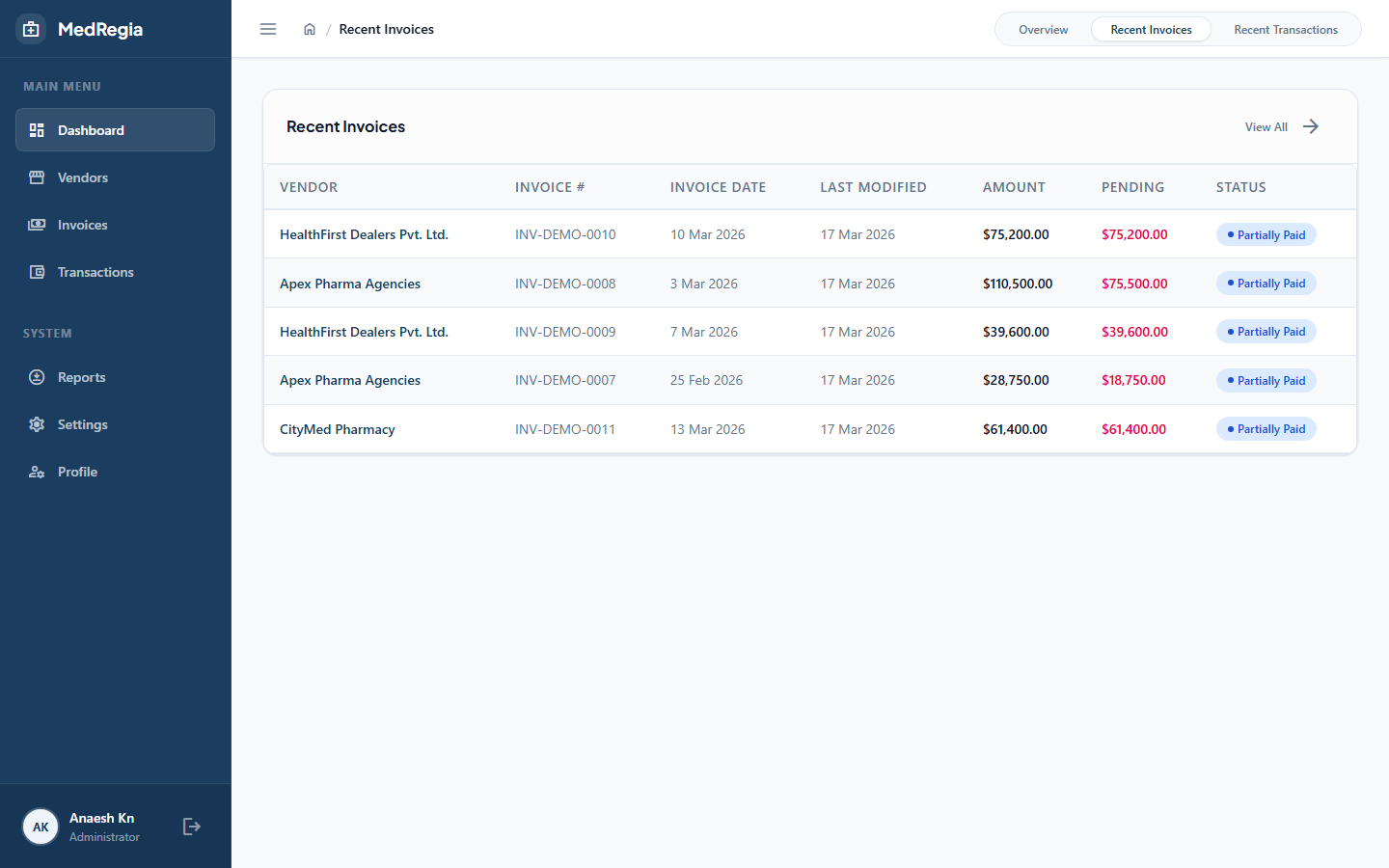
Switching to the Recent Invoices tab shows the latest invoices across all vendors, sorted by invoice date descending. Each row displays:
| Column | Description |
|---|---|
| Invoice # | The supplier's invoice reference number |
| Vendor | Vendor name |
| Amount | Full invoice amount |
| Pending | Remaining unpaid balance |
| Status | Computed status badge (PartiallyPaid, Overdue, FullyPaid, Canceled) |
| Due Date | Payment deadline |
Click any row to open that invoice's detail page.
Recent Transactions Tab
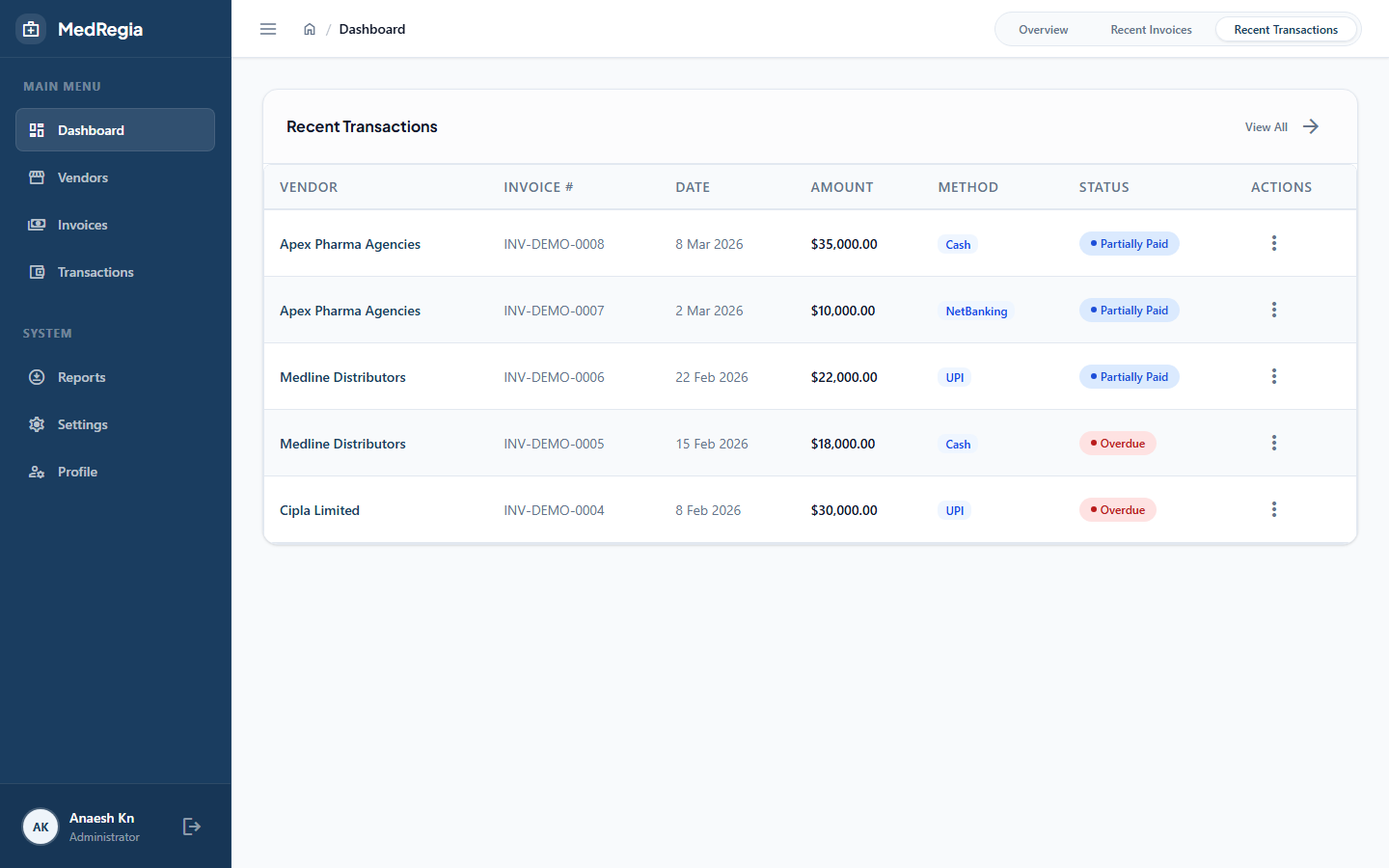
The Recent Transactions tab lists the latest payment transactions recorded in the system, sorted by transaction date descending. Each row shows:
| Column | Description |
|---|---|
| Date | Transaction date |
| Invoice # | Reference invoice |
| Vendor | Vendor name |
| Amount Paid | Amount of this payment |
| Note | Optional payment note |
Click any row to navigate to the related invoice detail page.
Data Freshness
All dashboard figures are computed live on every page load — there is no caching. Refreshing the page always gives you the most up-to-date numbers.