
Appearance
Reports
The Reports section lets you download your data as Excel files for offline analysis, accounting, or record-keeping.
Permission required:
Vendor:Read/Invoice:Read/Transaction:Read(respective permission for each report)
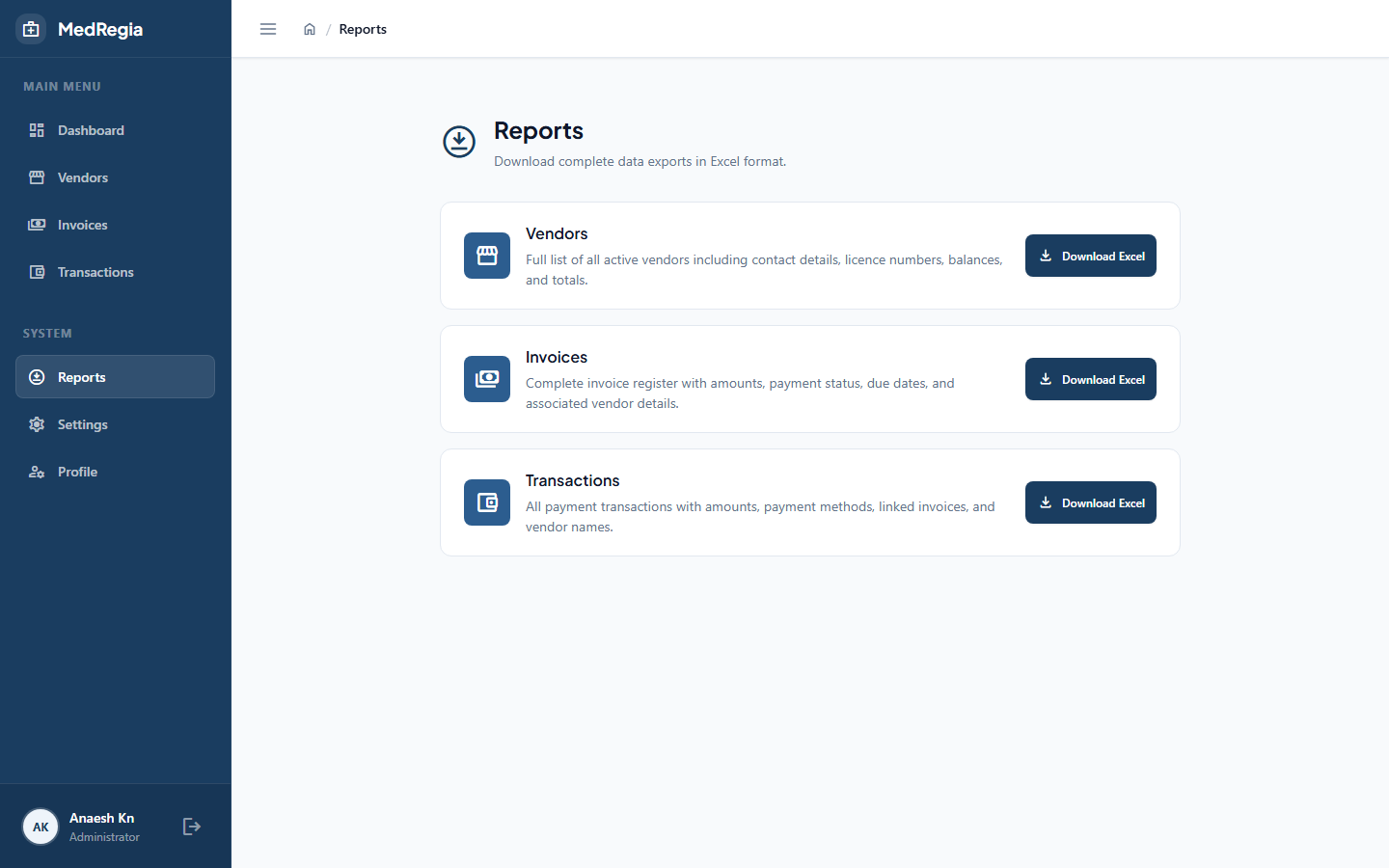
Available Reports
| Report | File Name | Contents |
|---|---|---|
| Vendors | vendors_YYYYMMDD.xlsx | All active vendors with financial totals |
| Invoices | invoices_YYYYMMDD.xlsx | All active invoices with computed status and amounts |
| Transactions | transactions_YYYYMMDD.xlsx | All active transactions with related invoice/vendor info |
Downloading a Report
- Navigate to Reports in the left sidebar
- Click the Download button for the desired report
- The file downloads automatically to your browser's download folder
What's Included
Vendor Report Columns
Name, Type, Address, Phone, Email, Drug Licenses, Outstanding Balance, Total Invoice Value, Total Paid
Invoice Report Columns
Invoice Number, Vendor, Amount, Paid Amount, Pending Amount, Status, Invoice Date, Due Date, Description
Transaction Report Columns
Related Invoice Number, Vendor, Amount, Payment Method, Transaction Date, Description
Tips
- Reports always reflect the current state of the data at the time of download
- Canceled/deleted records are excluded from all reports
- Use Excel's filter and pivot features to create custom summaries